Overview
Website is hosted here: https://aquilacode.io/
Website tech stack:
(NX/Nestjs/Mongodb/Angular/Tailwind/NGINX/Docker(Files and Compose)/Docker Images/
AWS Private ECR/AWS Loadbalancer/AWS EC2/AWS Route53/AWS ACM(certificates for ssl)/
OpenAPI3.0/Private NPM Repository)
-SVGs for alot of the buttons and animations
(Custom made via generating AI art with Midjourney and converting to svg, using figma/illustrator/inkscape to optimize the svgs
and mark id them for use in angular/bindings/animations)
-GSAP soon to come
-NX build system
-Auth0/Okta(Jwt tokens)/Backend Authorization(Users tracked via Auth0/Okta)
-Nestjs backend(Using passport for Auth0)
-API spec generated from Nestjs code
-API Spec used to generate an sdk thats uploaded to npm repository
-This sdk is then `npm installed` by the Frontend
-Frontend is angular
-database is mongodb
-NX build system manages both UI/Frontend and api spec in a monorepo
-Code is built with dockerfiles and docker compose
-Docker images are uploaded to amazon ecr registery
-EC2 in behind a load balancer and route53 routes traffic via secure SSL (https) aquilacode.io domain
to the ec2
-EC2 checks out docker images from aws private ecr registery
-EC2 then uses docker compose file with those images to spin up the entire stack of services(frontened/backened/mongdb database)
-NGINX server is used to route to the frontend or backend based on path paramater
A mono repo for a complete application(UI/Backend), using NX, NestJS(W/ Fastify), Angular, OpenAPI3.0
Site on 09/02/2024
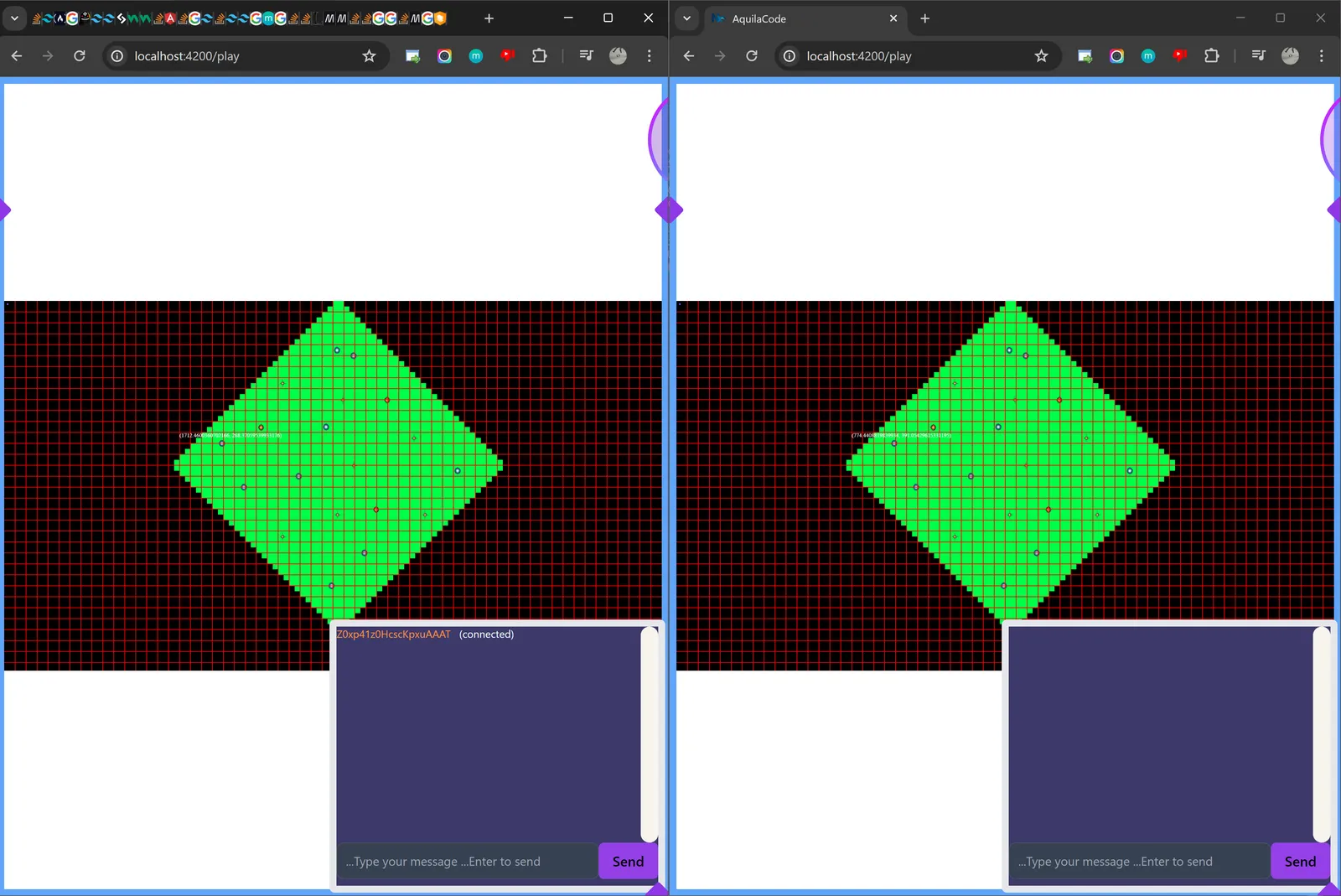
Added: JWT auth guard for all websocket calls, to authenticate jwt token is valid token from auth0 before allowing any websocket traffic Custom socket in angular with authservice auth0 calls to add the jwt token to the websocket calls during socket traffic Lots of work to make the shared(multiplayer) chat feature/UI work perfectly.. Chat works as you'd expect any chat to work now
Site on 08/31/2024
Added sync script to auto sync everything to s3 ./AquilaCode/Secrets/sync.sh
Sockets working, have a chat app that is a proof of concept that uses websockets for users to chat with each other/ other connected clients
Site on 08/27/2024
Site on 08/22/2024
Hosted in the cloud, Okta/Auth0 login/logout functionality (google/facebook... etc), lots of svg animations, apis all hooked up and working and reading from authguard protected endpoints, reading/writing to mongoDB(via dtos/mongoose), using npm sdk from openapi spec/openapi sdk generation, hosted via aws s3 ecr by pulling docker images to ec2 for frontend/backend/mongodb(nginx server)
Site on 08/11/2024 - hosted in the cloud now, with Okta/Auth0 login/logout functionality (google/facebook... etc)
Site on 08/09/2024 - hosted in the cloud now
Site on 08/07/2024 - hosted in the cloud now
Site on 08/05/2024 - hosted in the cloud now
Site on 07/27/2024 - locally hosted
Youtube vid
Video created using images from midjourney using genmo
Original images I created from midjourney
$${\color{green}Figma \space Designs}$$
$${\color{green}Sample \space Ships \space(Midjourney \space generated)}$$
$${\color{green}BoilerPlate \space NX \space docs \space stuff}$$
✨ This workspace has been generated by Nx, Smart Monorepos · Fast CI. ✨
Integrate with editors
Enhance your Nx experience by installing [Nx Console](https://nx.dev/nx-console) for your favorite editor. Nx Console provides an interactive UI to view your projects, run tasks, generate code, and more! Available for VSCode, IntelliJ and comes with a LSP for Vim users.Nx plugins and code generators
Add Nx plugins to leverage their code generators and automated, inferred tasks.# Add plugin
npx nx add @nx/react
# Use code generator
npx nx generate @nx/react:app demo
# Run development server
npx nx serve demo
# View project details
npx nx show project demo --web
Run npx nx list to get a list of available plugins and whether they have generators. Then run npx nx list <plugin-name> to see what generators are available.
Learn more about code generators and inferred tasks in the docs.
Running tasks
To execute tasks with Nx use the following syntax:npx nx <target> <project> <...options>
You can also run multiple targets:
npx nx run-many -t <target1> <target2>
..or add -p to filter specific projects
npx nx run-many -t <target1> <target2> -p <proj1> <proj2>
Targets can be defined in the package.json or projects.json. Learn more in the docs.
Set up CI!
Nx comes with local caching already built-in (check your `nx.json`). On CI you might want to go a step further.Explore the project graph
Run `npx nx graph` to show the graph of the workspace. It will show tasks that you can run with Nx.Connect with us!
- [Join the community](https://nx.dev/community) - [Subscribe to the Nx Youtube Channel](https://www.youtube.com/@nxdevtools) - [Follow us on Twitter](https://twitter.com/nxdevtools)Links/References to good sites
https://github.com/stuyy/nestjs-with-mongodb-mongoose/tree/master
How I generated the SVGs and animations for the site
- SVGs for alot of the buttons and animations
- Custom made via generating AI art and converting to svg, using figma/illustrator/inkscape to optimize the svgs and mark id them for use in angular/bindings/animations
- Used Midjourney to generate high def style related images
- Used svg apps (figma/illistrator/inkscape) to convert and manipulate svgs and mash them together
- Created angular compoenents to wrap the svgs and bind to them for animation/manipulation(Will replace with gsap more than likely)
deploying to prod/docker, hosting locally/docker, hosting locally(no docker)
#SSHing/SCPing to Ec2
ssh -i "SECRET.pem" ec2-user@ec2-54-147-25-124.compute-1.amazonaws.com
scp -i SECRET.pm /d/OtherProjects/AquilaCode/docker-compose.yaml ec2-user@dsfadsfasd.sdfad.amazonaws.com:/home/ec2-user/docker-compose.yaml

#Ec2 commands
aws ecr get-login-password --region us-east-1 | docker login --username AWS --password-stdin GETID.dkr.ecr.us-east-1.amazonaws.com
sudo docker pull GETID.dkr.ecr.us-east-1.amazonaws.com/aquilacode-backend:latest
sudo docker pull GETID.dkr.ecr.us-east-1.amazonaws.com/aquilacode-frontend:latest
docker-compose -f docker-compose.yaml down
Sometimes you can just stop, like,
docker-compose stop
docker-compose -f docker-compose.yaml up -d

#Locally building/serving
nx build nest-app --verbose --skip-nx-cache
nx serve nest-app --verbose --skip-nx-cache
nx build angular-app --verbose --skip-nx-cache
nx serve angular-app --verbose --skip-nx-cache

#Docker(local/prod) building/hosting
#Login first
aws ecr get-login-password --region us-east-1 | docker login --username AWS --password-stdin GETID.dkr.ecr.us-east-1.amazonaws.com

docker build --no-cache -t aquilacode-backend:latest -f DockerfileNest .
docker tag aquilacode-backend:latest GETID.dkr.ecr.us-east-1.amazonaws.com/aquilacode-backend
docker push GETID.dkr.ecr.us-east-1.amazonaws.com/aquilacode-backend

docker build --no-cache -t aquilacode-frontend:latest -f DockerfileAngular .
docker tag aquilacode-frontend:latest GETID.dkr.ecr.us-east-1.amazonaws.com/aquilacode-frontend
docker push GETID.dkr.ecr.us-east-1.amazonaws.com/aquilacode-frontend

docker images

#Hosting docker locally
cd configs
python localDockerConfig.py
docker build FE ...
docker build BE ...
docker tag FE ...
docker tag BE ...
docker-compose -f docker-compose.yaml down
docker-compose -f docker-compose.yaml up -d

#Hosting locally
cd configs
python localConfig.py
docker-compose -f docker-compose.yaml up -d #This will only host mongodb container
nx serve nest-app --verbose --skip-nx-cache
nx serve angular-app --verbose --skip-nx-cache

#Hosting docker containers/images in prod(ec2)
cd configs
python prodConfig.py
docker build FE ...
docker tag FE ...

docker build BE ...
docker tag BE ...

docker push FE ...
docker push BE ...

Get on EC2
SSH to aws ecr
cd Secrets
ssh -i "SECRET.pem" ec2-user@12231231232132.compute-1.amazonaws.com
docker pull FE ...
docker pull BE ...
docker-compose -f docker-compose.yaml down
docker-compose -f docker-compose.yaml up -d
Setting up nx monorepo for angular and nestjs
**Used this stackoverflow post to help**https://stackoverflow.com/questions/77347982/nx-monorepo-nestjs-angular
Run "npm i -g nx" to be able to execute command directly.
PS D:\OtherProjects> npx create-nx-workspace@latest

 NX   Let's create a new workspace [https://nx.dev/getting-started/intro]

√ Where would you like to create your workspace? · AquilaCode
√ Which stack do you want to use? · none
√ Package-based monorepo, integrated monorepo, or standalone project? · integrated
√ Which CI provider would you like to use? · skip
√ Would you like remote caching to make your build faster? · skip

 NX   Creating your v19.5.1 workspace.

✔ Installing dependencies with npm
✔ Successfully created the workspace: AquilaCode.

—————————————————————————————————————————————————————————————————————————————————————————————————————————————————————————————————————————————————————————————————————————————————————————————————————————————————————————————————————


 NX   Nx CLI is not installed globally.

This means that you will have to use "npx nx" to execute commands in the workspace.
Run "npm i -g nx" to be able to execute command directly.


—————————————————————————————————————————————————————————————————————————————————————————————————————————————————————————————————————————————————————————————————————————————————————————————————————————————————————————————————————


 NX   First time using Nx? Check out this interactive Nx tutorial.

https://nx.dev/getting-started/tutorials/npm-workspaces-tutorial

PS D:\OtherProjects> cd .\AquilaCode\
PS D:\OtherProjects\AquilaCode> npm i -D @nx/angular @nx/nest @nx/js
npm warn deprecated inflight@1.0.6: This module is not supported, and leaks memory. Do not use it. Check out lru-cache if you want a good and tested way to coalesce async requests by a key value, which is much more comprehensive and powerful.
npm warn deprecated @humanwhocodes/config-array@0.11.14: Use @eslint/config-array instead
npm warn deprecated rimraf@3.0.2: Rimraf versions prior to v4 are no longer supported
npm warn deprecated glob@7.2.3: Glob versions prior to v9 are no longer supported
npm warn deprecated @humanwhocodes/object-schema@2.0.3: Use @eslint/object-schema instead

added 863 packages, and audited 1225 packages in 32s

189 packages are looking for funding
  run `npm fund` for details

found 0 vulnerabilities
PS D:\OtherProjects\AquilaCode> nx g @nx/angular:app angular-app
nx : The term 'nx' is not recognized as the name of a cmdlet, function, script file, or operable program. Check the spelling of the name, or if a path was included, verify that the path is correct and try again.
At line:1 char:1
+ nx g @nx/angular:app angular-app
+ ~~
    + CategoryInfo          : ObjectNotFound: (nx:String) [], CommandNotFoundException
    + FullyQualifiedErrorId : CommandNotFoundException

PS D:\OtherProjects\AquilaCode> npm i -g nx

added 114 packages in 3s

22 packages are looking for funding
  run `npm fund` for details
PS D:\OtherProjects\AquilaCode> nx g @nx/angular:app angular-app
nx : File C:\Users\jacob\AppData\Roaming\npm\nx.ps1 cannot be loaded because running scripts is disabled on this system. For more information, see about_Execution_Policies at https:/go.microsoft.com/fwlink/?LinkID=135170.
At line:1 char:1
+ nx g @nx/angular:app angular-app
+ ~~
    + CategoryInfo          : SecurityError: (:) [], PSSecurityException
    + FullyQualifiedErrorId : UnauthorizedAccess
PS D:\OtherProjects\AquilaCode>
To get around the above issue, Switched from vs code terminal (that uses powershell) To Cygwin/mono terminal
Generate angular app
[5.2][513][jacob@jakesbeastmech][/d/OtherProjects]
$cd AquilaCode/
total 786K
drwxr-xr-x 1 jacob 197609    0 Jul 21 14:37 node_modules
-rw-r--r-- 1 jacob 197609  252 Jul 21 14:36 nx.json
-rw-r--r-- 1 jacob 197609  274 Jul 21 14:37 package.json
-rw-r--r-- 1 jacob 197609 652K Jul 21 14:37 package-lock.json
-rw-r--r-- 1 jacob 197609 2.4K Jul 21 14:36 README.md
[5.2][514][jacob@jakesbeastmech][/d/OtherProjects/AquilaCode]
$nx g @nx/angular:app angular-app

 NX  Generating @nx/angular:application

In Nx 20, generating projects will no longer derive the name and root.
Please provide the exact project name and root in the future.
Example: nx g @nx/angular:application angular-app --directory angular-app
Fetching prettier...
Fetching @nx/playwright...
CREATE tsconfig.base.json
CREATE .prettierrc
CREATE .prettierignore
UPDATE .vscode/extensions.json
UPDATE package.json
UPDATE .gitignore
UPDATE nx.json
CREATE angular-app/project.json
CREATE angular-app/src/index.html
CREATE angular-app/src/styles.css
CREATE angular-app/tsconfig.app.json
CREATE angular-app/tsconfig.editor.json
CREATE angular-app/tsconfig.json
CREATE angular-app/public/favicon.ico
CREATE angular-app/src/app/app.component.html
CREATE angular-app/src/app/app.component.spec.ts
CREATE angular-app/src/app/app.component.ts
CREATE angular-app/src/app/app.component.css
CREATE angular-app/src/app/app.config.ts
CREATE angular-app/src/app/app.routes.ts
CREATE angular-app/src/app/nx-welcome.component.ts
CREATE angular-app/src/main.ts
CREATE .eslintrc.json
CREATE .eslintignore
CREATE angular-app/.eslintrc.json
CREATE jest.preset.js
CREATE jest.config.ts
CREATE angular-app/jest.config.ts
CREATE angular-app/src/test-setup.ts
CREATE angular-app/tsconfig.spec.json
CREATE angular-app-e2e/project.json
CREATE angular-app-e2e/playwright.config.ts
CREATE angular-app-e2e/src/example.spec.ts
CREATE angular-app-e2e/tsconfig.json
CREATE angular-app-e2e/.eslintrc.json
npm warn deprecated abab@2.0.6: Use your platform's native atob() and btoa() methods instead
npm warn deprecated domexception@4.0.0: Use your platform's native DOMException instead

added 290 packages, removed 2 packages, changed 1 package, and audited 1513 packages in 12s

212 packages are looking for funding
  run `npm fund` for details

found 0 vulnerabilities

 NX   � View Details of angular-app

Run "nx show project angular-app" to view details about this project.
Generate nest app
[5.2][515][jacob@jakesbeastmech][/d/OtherProjects/AquilaCode]
$nx g @nx/nest:app nest-app

 NX  Generating @nx/nest:application

In Nx 20, generating projects will no longer derive the name and root.
Please provide the exact project name and root in the future.
Example: nx g @nx/nest:application nest-app --directory nest-app
In Nx 20, generating projects will no longer derive the name and root.
Please provide the exact project name and root in the future.
Example: nx g @nx/node:application nest-app --directory nest-app
UPDATE package.json
UPDATE nx.json
CREATE nest-app/src/assets/.gitkeep
CREATE nest-app/src/main.ts
CREATE nest-app/tsconfig.app.json
CREATE nest-app/tsconfig.json
CREATE nest-app/webpack.config.js
CREATE nest-app/project.json
CREATE nest-app/.eslintrc.json
CREATE nest-app/jest.config.ts
CREATE nest-app/tsconfig.spec.json
CREATE nest-app-e2e/project.json
CREATE nest-app-e2e/jest.config.ts
CREATE nest-app-e2e/src/support/global-setup.ts
CREATE nest-app-e2e/src/support/global-teardown.ts
CREATE nest-app-e2e/src/support/test-setup.ts
CREATE nest-app-e2e/src/nest-app/nest-app.spec.ts
CREATE nest-app-e2e/tsconfig.json
CREATE nest-app-e2e/tsconfig.spec.json
CREATE nest-app-e2e/.eslintrc.json
CREATE nest-app/src/app/app.controller.spec.ts
CREATE nest-app/src/app/app.controller.ts
CREATE nest-app/src/app/app.module.ts
CREATE nest-app/src/app/app.service.spec.ts
CREATE nest-app/src/app/app.service.ts

added 53 packages, changed 5 packages, and audited 1566 packages in 5s

218 packages are looking for funding
  run `npm fund` for details

found 0 vulnerabilities

 NX   � View Details of nest-app-e2e

Run "nx show project nest-app-e2e" to view details about this project.


 NX   � View Details of nest-app

Run "nx show project nest-app" to view details about this project.
Generate shared lib directory
[5.2][516][jacob@jakesbeastmech][/d/OtherProjects/AquilaCode]
$nx g @nx/js:lib shared-lib

 NX  Generating @nx/js:library

In Nx 20, generating projects will no longer derive the name and root.
Please provide the exact project name and root in the future.
Example: nx g @nx/js:library shared-lib --directory shared-lib
CREATE shared-lib/tsconfig.json
CREATE shared-lib/src/index.ts
CREATE shared-lib/src/lib/shared-lib.spec.ts
CREATE shared-lib/src/lib/shared-lib.ts
CREATE shared-lib/tsconfig.lib.json
CREATE shared-lib/README.md
CREATE shared-lib/package.json
UPDATE nx.json
CREATE shared-lib/project.json
CREATE shared-lib/.eslintrc.json
CREATE shared-lib/jest.config.ts
CREATE shared-lib/tsconfig.spec.json
UPDATE tsconfig.base.json

 NX   � View Details of shared-lib

Run "nx show project shared-lib" to view details about this project.
Setting up git repo
[5.2][517][jacob@jakesbeastmech][/d/OtherProjects/AquilaCode]
$ls -lt
total 999K
-rw-r--r-- 1 jacob 197609 2.0K Jul 21 14:40 nx.json
drwxr-xr-x 1 jacob 197609    0 Jul 21 14:40 shared-lib
-rw-r--r-- 1 jacob 197609  533 Jul 21 14:40 tsconfig.base.json
-rw-r--r-- 1 jacob 197609 810K Jul 21 14:39 package-lock.json
drwxr-xr-x 1 jacob 197609    0 Jul 21 14:39 node_modules
drwxr-xr-x 1 jacob 197609    0 Jul 21 14:39 nest-app-e2e
drwxr-xr-x 1 jacob 197609    0 Jul 21 14:39 nest-app
-rw-r--r-- 1 jacob 197609 2.3K Jul 21 14:39 package.json
drwxr-xr-x 1 jacob 197609    0 Jul 21 14:38 angular-app
drwxr-xr-x 1 jacob 197609    0 Jul 21 14:38 angular-app-e2e
-rw-r--r-- 1 jacob 197609  126 Jul 21 14:38 jest.config.ts
-rw-r--r-- 1 jacob 197609   88 Jul 21 14:38 jest.preset.js
-rw-r--r-- 1 jacob 197609 2.4K Jul 21 14:36 README.md


[5.2][522][jacob@jakesbeastmech][/d/OtherProjects/AquilaCode]
$git init && git symbolic-ref HEAD refs/heads/main
Reinitialized existing Git repository in D:/OtherProjects/AquilaCode/.git/
[5.2][523][jacob@jakesbeastmech][/d/OtherProjects/AquilaCode]
$git status
On branch main

No commits yet

Changes to be committed:
  (use "git rm --cached <file>..." to unstage)
        new file:   .editorconfig
        new file:   .gitignore
        new file:   .vscode/extensions.json
        new file:   README.md
        new file:   nx.json
        new file:   package-lock.json
        new file:   package.json

Changes not staged for commit:
  (use "git add <file>..." to update what will be committed)
  (use "git restore <file>..." to discard changes in working directory)
        modified:   .gitignore
        modified:   .vscode/extensions.json
        modified:   nx.json
        modified:   package-lock.json
        modified:   package.json

Untracked files:
  (use "git add <file>..." to include in what will be committed)
        .eslintignore
        .eslintrc.json
        .prettierignore
        .prettierrc
        angular-app-e2e/
        angular-app/
        jest.config.ts
        jest.preset.js
        nest-app-e2e/
        nest-app/
        shared-lib/
        tsconfig.base.json

[5.2][524][jacob@jakesbeastmech][/d/OtherProjects/AquilaCode]
$git add .
[5.2][525][jacob@jakesbeastmech][/d/OtherProjects/AquilaCode]
$git status
On branch main

No commits yet

Changes to be committed:
  (use "git rm --cached <file>..." to unstage)
        new file:   .editorconfig
        new file:   .eslintignore
        new file:   .eslintrc.json
        new file:   .gitignore
        new file:   .prettierignore
        new file:   .prettierrc
        new file:   .vscode/extensions.json
        new file:   README.md
        new file:   angular-app-e2e/.eslintrc.json
        new file:   angular-app-e2e/playwright.config.ts
        new file:   angular-app-e2e/project.json
        new file:   angular-app-e2e/src/example.spec.ts
        new file:   angular-app-e2e/tsconfig.json
        new file:   angular-app/.eslintrc.json
        new file:   angular-app/jest.config.ts
        new file:   angular-app/project.json
        new file:   angular-app/public/favicon.ico
        new file:   angular-app/src/app/app.component.css
        new file:   angular-app/src/app/app.component.html
        new file:   angular-app/src/app/app.component.spec.ts
        new file:   angular-app/src/app/app.component.ts
        new file:   angular-app/src/app/app.config.ts
        new file:   angular-app/src/app/app.routes.ts
        new file:   angular-app/src/app/nx-welcome.component.ts
        new file:   angular-app/src/index.html
        new file:   angular-app/src/main.ts
        new file:   angular-app/src/styles.css
        new file:   angular-app/src/test-setup.ts
        new file:   angular-app/tsconfig.app.json
        new file:   angular-app/tsconfig.editor.json
        new file:   angular-app/tsconfig.json
        new file:   angular-app/tsconfig.spec.json
        new file:   jest.config.ts
        new file:   jest.preset.js
        new file:   nest-app-e2e/.eslintrc.json
        new file:   nest-app-e2e/jest.config.ts
        new file:   nest-app-e2e/project.json
        new file:   nest-app-e2e/src/nest-app/nest-app.spec.ts
        new file:   nest-app-e2e/src/support/global-setup.ts
        new file:   nest-app-e2e/src/support/global-teardown.ts
        new file:   nest-app-e2e/src/support/test-setup.ts
        new file:   nest-app-e2e/tsconfig.json
        new file:   nest-app-e2e/tsconfig.spec.json
        new file:   nest-app/.eslintrc.json
        new file:   nest-app/jest.config.ts
        new file:   nest-app/project.json
        new file:   nest-app/src/app/app.controller.spec.ts
        new file:   nest-app/src/app/app.controller.ts
        new file:   nest-app/src/app/app.module.ts
        new file:   nest-app/src/app/app.service.spec.ts
        new file:   nest-app/src/app/app.service.ts
        new file:   nest-app/src/assets/.gitkeep
        new file:   nest-app/src/main.ts
        new file:   nest-app/tsconfig.app.json
        new file:   nest-app/tsconfig.json
        new file:   nest-app/tsconfig.spec.json
        new file:   nest-app/webpack.config.js
        new file:   nx.json
        new file:   package-lock.json
        new file:   package.json
        new file:   shared-lib/.eslintrc.json
        new file:   shared-lib/README.md
        new file:   shared-lib/jest.config.ts
        new file:   shared-lib/package.json
        new file:   shared-lib/project.json
        new file:   shared-lib/src/index.ts
        new file:   shared-lib/src/lib/shared-lib.spec.ts
        new file:   shared-lib/src/lib/shared-lib.ts
        new file:   shared-lib/tsconfig.json
        new file:   shared-lib/tsconfig.lib.json
        new file:   shared-lib/tsconfig.spec.json
        new file:   tsconfig.base.json

[5.2][526][jacob@jakesbeastmech][/d/OtherProjects/AquilaCode]
$git commit -m "First commit"
[main (root-commit) 2df2fe6] First commit
 72 files changed, 24902 insertions(+)
 create mode 100644 .editorconfig
 create mode 100644 .eslintignore
 create mode 100644 .eslintrc.json
 create mode 100644 .gitignore
 create mode 100644 .prettierignore
 create mode 100644 .prettierrc
 create mode 100644 .vscode/extensions.json
 create mode 100644 README.md
 create mode 100644 angular-app-e2e/.eslintrc.json
 create mode 100644 angular-app-e2e/playwright.config.ts
 create mode 100644 angular-app-e2e/project.json
 create mode 100644 angular-app-e2e/src/example.spec.ts
 create mode 100644 angular-app-e2e/tsconfig.json
 create mode 100644 angular-app/.eslintrc.json
 create mode 100644 angular-app/jest.config.ts
 create mode 100644 angular-app/project.json
 create mode 100644 angular-app/public/favicon.ico
 create mode 100644 angular-app/src/app/app.component.css
 create mode 100644 angular-app/src/app/app.component.html
 create mode 100644 angular-app/src/app/app.component.spec.ts
 create mode 100644 angular-app/src/app/app.component.ts
 create mode 100644 angular-app/src/app/app.config.ts
 create mode 100644 angular-app/src/app/app.routes.ts
 create mode 100644 angular-app/src/app/nx-welcome.component.ts
 create mode 100644 angular-app/src/index.html
 create mode 100644 angular-app/src/main.ts
 create mode 100644 angular-app/src/styles.css
 create mode 100644 angular-app/src/test-setup.ts
 create mode 100644 angular-app/tsconfig.app.json
 create mode 100644 angular-app/tsconfig.editor.json
 create mode 100644 angular-app/tsconfig.json
 create mode 100644 angular-app/tsconfig.spec.json
 create mode 100644 jest.config.ts
 create mode 100644 jest.preset.js
 create mode 100644 nest-app-e2e/.eslintrc.json
 create mode 100644 nest-app-e2e/jest.config.ts
 create mode 100644 nest-app-e2e/project.json
 create mode 100644 nest-app-e2e/src/nest-app/nest-app.spec.ts
 create mode 100644 nest-app-e2e/src/support/global-setup.ts
 create mode 100644 nest-app-e2e/src/support/global-teardown.ts
 create mode 100644 nest-app-e2e/src/support/test-setup.ts
 create mode 100644 nest-app-e2e/tsconfig.json
 create mode 100644 nest-app-e2e/tsconfig.spec.json
 create mode 100644 nest-app/.eslintrc.json
 create mode 100644 nest-app/jest.config.ts
 create mode 100644 nest-app/project.json
 create mode 100644 nest-app/src/app/app.controller.spec.ts
 create mode 100644 nest-app/src/app/app.controller.ts
 create mode 100644 nest-app/src/app/app.module.ts
 create mode 100644 nest-app/src/app/app.service.spec.ts
 create mode 100644 nest-app/src/app/app.service.ts
 create mode 100644 nest-app/src/assets/.gitkeep
 create mode 100644 nest-app/src/main.ts
 create mode 100644 nest-app/tsconfig.app.json
 create mode 100644 nest-app/tsconfig.json
 create mode 100644 nest-app/tsconfig.spec.json
 create mode 100644 nest-app/webpack.config.js
 create mode 100644 nx.json
 create mode 100644 package-lock.json
 create mode 100644 package.json
 create mode 100644 shared-lib/.eslintrc.json
 create mode 100644 shared-lib/README.md
 create mode 100644 shared-lib/jest.config.ts
 create mode 100644 shared-lib/package.json
 create mode 100644 shared-lib/project.json
 create mode 100644 shared-lib/src/index.ts
 create mode 100644 shared-lib/src/lib/shared-lib.spec.ts
 create mode 100644 shared-lib/src/lib/shared-lib.ts
 create mode 100644 shared-lib/tsconfig.json
 create mode 100644 shared-lib/tsconfig.lib.json
 create mode 100644 shared-lib/tsconfig.spec.json
 create mode 100644 tsconfig.base.json
[5.2][527][jacob@jakesbeastmech][/d/OtherProjects/AquilaCode]
$git status
On branch main
nothing to commit, working tree clean
[5.2][528][jacob@jakesbeastmech][/d/OtherProjects/AquilaCode]
$git push
fatal: No configured push destination.
Either specify the URL from the command-line or configure a remote repository using

    git remote add <name> <url>

and then push using the remote name

    git push <name>

[5.2][529][jacob@jakesbeastmech][/d/OtherProjects/AquilaCode]
$git remote add origin git@github.com:^Cemo_app.git
[5.2][529][jacob@jakesbeastmech][/d/OtherProjects/AquilaCode]
$git remote add origin git@github.com:jacobmott/AquilaCode.git
[5.2][530][jacob@jakesbeastmech][/d/OtherProjects/AquilaCode]
$git status
On branch main
nothing to commit, working tree clean
[5.2][531][jacob@jakesbeastmech][/d/OtherProjects/AquilaCode]
$git push
fatal: The current branch main has no upstream branch.
To push the current branch and set the remote as upstream, use

    git push --set-upstream origin main

To have this happen automatically for branches without a tracking
upstream, see 'push.autoSetupRemote' in 'git help config'.

[5.2][532][jacob@jakesbeastmech][/d/OtherProjects/AquilaCode]
$git push --set-upstream origin main
fatal: Could not read from remote repository.

Please make sure you have the correct access rights
and the repository exists.
[5.2][533][jacob@jakesbeastmech][/d/OtherProjects/AquilaCode]
$git remote add origin git@github.com:jacobmott/AquilaCode.git
error: remote origin already exists.
[5.2][534][jacob@jakesbeastmech][/d/OtherProjects/AquilaCode]
$git push -u origin main
Writing objects:  85% (76/89)Writing objects: 100% (89/89), 209.03 KiB | 5.81 MiB/s, done.
Total 89 (delta 14), reused 0 (delta 0), pack-reused 0
remote: Resolving deltas: 100% (14/14), done.
To github.com:jacobmott/AquilaCode.git
 * [new branch]      main -> mainbranch 'main' set up to track 'origin/main'.
[5.2][535][jacob@jakesbeastmech][/d/OtherProjects/AquilaCode]
$git status
On branch main
Your branch is up to date with 'origin/main'.

nothing to commit, working tree clean
[5.2][536][jacob@jakesbeastmech][/d/OtherProjects/AquilaCode]
$ls
total 999K
drwxr-xr-x 1 jacob 197609    0 Jul 21 14:38 angular-app
drwxr-xr-x 1 jacob 197609    0 Jul 21 14:38 angular-app-e2e
-rw-r--r-- 1 jacob 197609  126 Jul 21 14:38 jest.config.ts
-rw-r--r-- 1 jacob 197609   88 Jul 21 14:38 jest.preset.js
drwxr-xr-x 1 jacob 197609    0 Jul 21 14:39 nest-app
drwxr-xr-x 1 jacob 197609    0 Jul 21 14:39 nest-app-e2e
drwxr-xr-x 1 jacob 197609    0 Jul 21 14:39 node_modules
-rw-r--r-- 1 jacob 197609 2.0K Jul 21 14:40 nx.json
-rw-r--r-- 1 jacob 197609 2.3K Jul 21 14:39 package.json
-rw-r--r-- 1 jacob 197609 810K Jul 21 14:39 package-lock.json
-rw-r--r-- 1 jacob 197609 2.4K Jul 21 14:36 README.md
drwxr-xr-x 1 jacob 197609    0 Jul 21 14:40 shared-lib
-rw-r--r-- 1 jacob 197609  533 Jul 21 14:40 tsconfig.base.json
[5.2][537][jacob@jakesbeastmech][/d/OtherProjects/AquilaCode]
$
Configure script to configure things for a specific environment (local(a.k.a dev) or prod currently)
[5.2][538][jacob@jakesbeastmech][/d/OtherProjects/AquilaCode/configs]
$pwd
/d/OtherProjects/AquilaCode/configs
[5.2][539][jacob@jakesbeastmech][/d/OtherProjects/AquilaCode/configs]
$ls
total 35K
drwxr-xr-x 1 jacob 197609    0 Aug 17 14:35 __pycache__
-rw-r--r-- 1 jacob 197609  736 Aug 17 15:01 environment.developmentLOCAL.ts
-rw-r--r-- 1 jacob 197609  743 Aug 17 15:01 environment.developmentPROD.ts
-rw-r--r-- 1 jacob 197609  736 Aug 17 15:01 environmentLOCAL.ts
-rw-r--r-- 1 jacob 197609  743 Aug 17 15:01 environmentPROD.ts
-rw-r--r-- 1 jacob 197609   77 Aug 17 15:13 localconfig.py
-rw-r--r-- 1 jacob 197609 3.0K Aug 17 15:05 nginxLOCAL.conf
-rw-r--r-- 1 jacob 197609 3.0K Aug 17 15:05 nginxPROD.conf
-rw-r--r-- 1 jacob 197609   76 Aug 17 15:13 prodconfig.py
-rw-r--r-- 1 jacob 197609 2.1K Aug 17 15:11 sharedutils.py
-rw-r--r-- 1 jacob 197609    0 Aug 17 14:35 test.ignorethisfile
-rw-r--r-- 1 jacob 197609   63 Aug 17 14:08 testThisIsATest.ignorethisfile
-rw-r--r-- 1 jacob 197609   83 Aug 17 14:36 thisisatestconfig.py
[5.2][540][jacob@jakesbeastmech][/d/OtherProjects/AquilaCode/configs]
$python localconfig.py
Configuring environment: local
./environment.developmentLOCAL.ts copied over ../angular-app/src/environments/environment.development.ts: (Success)
./environmentLOCAL.ts copied over ../angular-app/src/environments/environment.ts: (Success)
./nginxLOCAL.conf copied over ../nginx.conf: (Success)
../Secrets/envLOCALnest-app copied over ../nest-app/.env: (Success)
../Secrets/auth_configLOCALangular-app.json copied over ../angular-app/auth_config.json: (Success)
../Secrets/keysLOCALnest-app.ts copied over ../nest-app/src/config/keys.ts: (Success)
[5.2][541][jacob@jakesbeastmech][/d/OtherProjects/AquilaCode/configs]
$git status
On branch main
Your branch is up to date with 'origin/main'.

Changes not staged for commit:
  (use "git add <file>..." to update what will be committed)
  (use "git restore <file>..." to discard changes in working directory)
        modified:   ../angular-app/auth_config.json
        modified:   ../angular-app/src/environments/environment.development.ts
        modified:   ../angular-app/src/environments/environment.ts
        modified:   ../nest-app/src/config/keys.ts

no changes added to commit (use "git add" and/or "git commit -a")
[5.2][542][jacob@jakesbeastmech][/d/OtherProjects/AquilaCode/configs]
Building and serving the nest app
  [5.2][548][jacob@jakesbeastmech][/d/OtherProjects/AquilaCode]
$nx build nest-app

> nx run nest-app:build

> webpack-cli build --node-env=production

chunk (runtime: main) main.js (main) 2.71 KiB [entry] [rendered]
webpack compiled successfully (f60f6de829567d37)

NX Successfully ran target build for project nest-app

[5.2][549][jacob@jakesbeastmech][/d/OtherProjects/AquilaCode]
$nx serve nest-app

> nx run nest-app:serve:development

> webpack-cli build --node-env=production
> chunk (runtime: main) main.js (main) 2.71 KiB [entry] [rendered] NX Successfully ran target build for project nest-app
> Nx read the output from the cache instead of running the command for 1 out of 1 tasks.
> Debugger listening on ws://localhost:9229/f550fa3f-6c66-4234-943c-be344d4795c8
> Debugger listening on ws://localhost:9229/f550fa3f-6c66-4234-943c-be344d4795c8
> For help, see: https://nodejs.org/en/docs/inspector

[Nest] 30032 - 07/21/2024, 3:23:35 PM LOG [NestFactory] Starting Nest application...
[Nest] 30032 - 07/21/2024, 3:23:35 PM LOG [InstanceLoader] AppModule dependencies initialized +4ms
[Nest] 30032 - 07/21/2024, 3:23:35 PM LOG � Application is running on: http://localhost:3000/api
Building and serving the angular app
[5.2][477][jacob@jakesbeastmech][/d/OtherProjects/AquilaCode]
$nx build angular-app

> nx run angular-app:build:production

- Building...
  Initial chunk files | Names | Raw size | Estimated transfer size
  main-YEWAPI47.js | main | 214.98 kB | 56.63 kB
  polyfills-SCHOHYNV.js | polyfills | 34.52 kB | 11.29 kB
  styles-5INURTSO.css | styles | 0 bytes | 0 bytes

                        | Initial total | 249.51 kB |                67.92 kB

Output location: D:\OtherProjects\AquilaCode\dist\angular-app

Application bundle generation complete. [3.638 seconds]

NX Successfully ran target build for project angular-app

[5.2][478][jacob@jakesbeastmech][/d/OtherProjects/AquilaCode]
$nx serve angular-app

> nx run angular-app:serve:development

- Building...
  Initial chunk files | Names | Raw size
  polyfills.js | polyfills | 90.23 kB |
  main.js | main | 34.82 kB |
  styles.css | styles | 107 bytes |

                      | Initial total | 125.16 kB

Application bundle generation complete. [0.768 seconds]

Watch mode enabled. Watching for file changes...
NOTE: Raw file sizes do not reflect development server per-request transformations.
➜ Local: http://localhost:4200/
Fastify has been setup instead of express for our nestjs backend
Adding a new controller to nest.js backend app via nx console plugin in visual studio code
07/21/2024
Hosted API for GET/PUT/POST/DELETE for a "SHIP" server
Setup mongoose database
OpenAPI3.0 spec
Setup openapi-generator
[5.2][475][jacob@jakesbeastmech][~]
$npm install @openapitools/openapi-generator-cli -g
npm warn deprecated inflight@1.0.6: This module is not supported, and leaks memory. Do not use it. Check out lru-cache if you want a good and tested way to coalesce async requests by a key value, which is much more comprehensive and powerful.
npm warn deprecated glob@7.2.3: Glob versions prior to v9 are no longer supported

added 116 packages in 14s

23 packages are looking for funding
  run `npm fund` for details
Generate client SDK and publish to npm
https://www.npmjs.com/package/aquilacode-api
npx openapi-generator-cli generate -i openapi.spec.yaml -g typescript-angular -o dist --additional-properties fileNaming=kebab-case,supportsES6=true,npmName=aquilacode-api,snapshot=false,ngVersion=18.1.0,npmVersion=2.0.0

 [5.2][505][jacob@jakesbeastmech][/d/OtherProjects/AquilaCode/openapi]
$npx openapi-generator-cli generate -i openapi.spec.yaml -g typescript-angular -o dist --additional-properties fileNaming=kebab-case,supportsES6=true,npmName=aquilacode-api,snapshot=false,ngVersion=18.1.1,npmVersion=1.0.0
[main] INFO  o.o.codegen.DefaultGenerator - Generating with dryRun=false
[main] INFO  o.o.c.ignore.CodegenIgnoreProcessor - Output directory (D:\OtherProjects\AquilaCode\openapi\dist) does not exist, or is inaccessible. No file (.openapi-generator-ignore) will be evaluated.
[main] INFO  o.o.codegen.DefaultGenerator - OpenAPI Generator: typescript-angular (client)
[main] INFO  o.o.codegen.DefaultGenerator - Generator 'typescript-angular' is considered stable.
[main] INFO  o.o.c.l.AbstractTypeScriptClientCodegen - Hint: Environment variable 'TS_POST_PROCESS_FILE' (optional) not defined. E.g. to format the source code, please try 'export TS_POST_PROCESS_FILE="/usr/local/bin/prettier --write"' (Linux/Mac)
[main] INFO  o.o.c.l.AbstractTypeScriptClientCodegen - Note: To enable file post-processing, 'enablePostProcessFile' must be set to `true` (--enable-post-process-file for CLI).
[main] INFO  o.o.codegen.utils.URLPathUtils - 'host' (OAS 2.0) or 'servers' (OAS 3.0) not defined in the spec. Default to [http://localhost] for server URL [http://localhost/]
[main] INFO  o.o.codegen.utils.URLPathUtils - 'host' (OAS 2.0) or 'servers' (OAS 3.0) not defined in the spec. Default to [http://localhost] for server URL [http://localhost/]
[main] INFO  o.o.codegen.DefaultGenerator - Model CreateShipDto not generated since it's a free-form object
[main] INFO  o.o.codegen.utils.URLPathUtils - 'host' (OAS 2.0) or 'servers' (OAS 3.0) not defined in the spec. Default to [http://localhost] for server URL [http://localhost/]
[main] INFO  o.o.codegen.TemplateManager - writing file D:\OtherProjects\AquilaCode\openapi\dist\api\default.service.ts
[main] INFO  o.o.codegen.utils.URLPathUtils - 'host' (OAS 2.0) or 'servers' (OAS 3.0) not defined in the spec. Default to [http://localhost] for server URL [http://localhost/]
[main] INFO  o.o.codegen.TemplateManager - writing file D:\OtherProjects\AquilaCode\openapi\dist\model\models.ts
[main] INFO  o.o.codegen.TemplateManager - writing file D:\OtherProjects\AquilaCode\openapi\dist\api\api.ts
[main] INFO  o.o.codegen.TemplateManager - writing file D:\OtherProjects\AquilaCode\openapi\dist\index.ts
[main] INFO  o.o.codegen.TemplateManager - writing file D:\OtherProjects\AquilaCode\openapi\dist\api.module.ts
[main] INFO  o.o.codegen.TemplateManager - writing file D:\OtherProjects\AquilaCode\openapi\dist\configuration.ts
[main] INFO  o.o.codegen.TemplateManager - writing file D:\OtherProjects\AquilaCode\openapi\dist\variables.ts
[main] INFO  o.o.codegen.TemplateManager - writing file D:\OtherProjects\AquilaCode\openapi\dist\encoder.ts
[main] INFO  o.o.codegen.TemplateManager - writing file D:\OtherProjects\AquilaCode\openapi\dist\param.ts
[main] INFO  o.o.codegen.TemplateManager - writing file D:\OtherProjects\AquilaCode\openapi\dist\.gitignore
[main] INFO  o.o.codegen.TemplateManager - writing file D:\OtherProjects\AquilaCode\openapi\dist\git_push.sh
[main] INFO  o.o.codegen.TemplateManager - writing file D:\OtherProjects\AquilaCode\openapi\dist\README.md
[main] INFO  o.o.codegen.TemplateManager - writing file D:\OtherProjects\AquilaCode\openapi\dist\ng-package.json
[main] INFO  o.o.codegen.TemplateManager - writing file D:\OtherProjects\AquilaCode\openapi\dist\package.json
[main] INFO  o.o.codegen.TemplateManager - writing file D:\OtherProjects\AquilaCode\openapi\dist\tsconfig.json
[main] INFO  o.o.codegen.TemplateManager - writing file D:\OtherProjects\AquilaCode\openapi\dist\.openapi-generator-ignore
[main] INFO  o.o.codegen.TemplateManager - writing file D:\OtherProjects\AquilaCode\openapi\dist\.openapi-generator\VERSION
[main] INFO  o.o.codegen.TemplateManager - writing file D:\OtherProjects\AquilaCode\openapi\dist\.openapi-generator\FILES
################################################################################
# Thanks for using OpenAPI Generator.                                          #
# Please consider donation to help us maintain this project ?                 #
# https://opencollective.com/openapi_generator/donate                          #
################################################################################
[5.2][506][jacob@jakesbeastmech][/d/OtherProjects/AquilaCode/openapi]
$cd dist/
total 37K
drwxr-xr-x 1 jacob 197609    0 Jul 23 23:22 api
-rw-r--r-- 1 jacob 197609 1016 Jul 23 23:22 api.module.ts
-rw-r--r-- 1 jacob 197609 6.2K Jul 23 23:22 configuration.ts
-rw-r--r-- 1 jacob 197609  555 Jul 23 23:22 encoder.ts
-rwxr-xr-x 1 jacob 197609 1.8K Jul 23 23:22 git_push.sh
-rw-r--r-- 1 jacob 197609  144 Jul 23 23:22 index.ts
drwxr-xr-x 1 jacob 197609    0 Jul 23 23:22 model
-rw-r--r-- 1 jacob 197609  112 Jul 23 23:22 ng-package.json
-rw-r--r-- 1 jacob 197609  854 Jul 23 23:22 package.json
-rw-r--r-- 1 jacob 197609 1.4K Jul 23 23:22 param.ts
-rw-r--r-- 1 jacob 197609 5.6K Jul 23 23:22 README.md
-rw-r--r-- 1 jacob 197609  654 Jul 23 23:22 tsconfig.json
-rw-r--r-- 1 jacob 197609  219 Jul 23 23:22 variables.ts
[5.2][507][jacob@jakesbeastmech][/d/OtherProjects/AquilaCode/openapi/dist]
$npm install

added 282 packages, and audited 283 packages in 26s

47 packages are looking for funding
  run `npm fund` for details

found 0 vulnerabilities
[5.2][508][jacob@jakesbeastmech][/d/OtherProjects/AquilaCode/openapi/dist]
$npm run build

> aquilacode-api@1.0.0 build
> ng-packagr -p ng-package.json

Building Angular Package

------------------------------------------------------------------------------
Building entry point 'aquilacode-api'
------------------------------------------------------------------------------
- Compiling with Angular sources in Ivy partial compilation mode.
✔ Compiling with Angular sources in Ivy partial compilation mode.
✔ Generating FESM bundles
- Copying assets
✔ Copying assets
- Writing package manifest
ℹ Removing scripts section in package.json as it's considered a potential security vulnerability.
ℹ Removing devDependencies section in package.json.
✔ Writing package manifest
✔ Built aquilacode-api

------------------------------------------------------------------------------
Built Angular Package
 - from: D:\OtherProjects\AquilaCode\openapi\dist
 - to:   D:\OtherProjects\AquilaCode\openapi\dist\dist
------------------------------------------------------------------------------

Build at: 2024-07-24T04:23:05.915Z - Time: 1778ms

[5.2][509][jacob@jakesbeastmech][/d/OtherProjects/AquilaCode/openapi/dist]
$cd dist/
total 28K
drwxr-xr-x 1 jacob 197609    0 Jul 23 23:23 api
-rw-r--r-- 1 jacob 197609  684 Jul 23 23:23 api.module.d.ts
-rw-r--r-- 1 jacob 197609 3.9K Jul 23 23:23 configuration.d.ts
-rw-r--r-- 1 jacob 197609  432 Jul 23 23:23 encoder.d.ts
drwxr-xr-x 1 jacob 197609    0 Jul 23 23:23 esm2022
drwxr-xr-x 1 jacob 197609    0 Jul 23 23:23 fesm2022
-rw-r--r-- 1 jacob 197609  192 Jul 23 23:23 index.d.ts
-rw-r--r-- 1 jacob 197609  846 Jul 23 23:23 package.json
-rw-r--r-- 1 jacob 197609 1.4K Jul 23 23:23 param.d.ts
-rw-r--r-- 1 jacob 197609 5.6K Jul 23 23:22 README.md
-rw-r--r-- 1 jacob 197609  272 Jul 23 23:23 variables.d.ts
[5.2][510][jacob@jakesbeastmech][/d/OtherProjects/AquilaCode/openapi/dist/dist]
$vi ^C
[5.2][510][jacob@jakesbeastmech][/d/OtherProjects/AquilaCode/openapi/dist/dist]
$npm publish dist^C
[5.2][510][jacob@jakesbeastmech][/d/OtherProjects/AquilaCode/openapi/dist/dist]
$cd ...
bash: cd: ...: No such file or directory
[5.2][511][jacob@jakesbeastmech][/d/OtherProjects/AquilaCode/openapi/dist/dist]
$cd ..
total 213K
drwxr-xr-x 1 jacob 197609    0 Jul 23 23:22 api
-rw-r--r-- 1 jacob 197609 1016 Jul 23 23:22 api.module.ts
-rw-r--r-- 1 jacob 197609 6.2K Jul 23 23:22 configuration.ts
drwxr-xr-x 1 jacob 197609    0 Jul 23 23:23 dist
-rw-r--r-- 1 jacob 197609  555 Jul 23 23:22 encoder.ts
-rwxr-xr-x 1 jacob 197609 1.8K Jul 23 23:22 git_push.sh
-rw-r--r-- 1 jacob 197609  144 Jul 23 23:22 index.ts
drwxr-xr-x 1 jacob 197609    0 Jul 23 23:22 model
-rw-r--r-- 1 jacob 197609  112 Jul 23 23:22 ng-package.json
drwxr-xr-x 1 jacob 197609    0 Jul 23 23:23 node_modules
-rw-r--r-- 1 jacob 197609  854 Jul 23 23:22 package.json
-rw-r--r-- 1 jacob 197609 141K Jul 23 23:22 package-lock.json
-rw-r--r-- 1 jacob 197609 1.4K Jul 23 23:22 param.ts
-rw-r--r-- 1 jacob 197609 5.6K Jul 23 23:22 README.md
-rw-r--r-- 1 jacob 197609  654 Jul 23 23:22 tsconfig.json
-rw-r--r-- 1 jacob 197609  219 Jul 23 23:22 variables.ts
[5.2][512][jacob@jakesbeastmech][/d/OtherProjects/AquilaCode/openapi/dist]
$npm publish dist
npm notice
npm notice �  dist@0.1.2
npm notice Tarball Contents
npm notice 13B .npmignore
npm notice 200B HISTORY.md
npm notice 7B README.md
npm notice 1.4kB bin/dist.js
npm notice 1.8kB lib/dist.js
npm notice 602B package.json
npm notice 4.5kB test/dist.test.js
npm notice 89B test/fixtures/copyright.js
npm notice 199B test/fixtures/input.js
npm notice 289B test/fixtures/out/input.copyright.js
npm notice 229B test/fixtures/out/input.copyright.min.js
npm notice 199B test/fixtures/out/input.js
npm notice 139B test/fixtures/out/input.min.js
npm notice 20B test/mocha.opts
npm notice Tarball Details
npm notice name: dist
npm notice version: 0.1.2
npm notice filename: dist-0.1.2.tgz
npm notice package size: 2.7 kB
npm notice unpacked size: 9.7 kB
npm notice shasum: 8898629cc251297e36d1354a9a9598619aba5b1a
npm notice integrity: sha512-TmsZfJybRs3IZ[...]frqZyuqkz/sOQ==
npm notice total files: 14
npm notice
npm error code ENEEDAUTH
npm error need auth This command requires you to be logged in to https://registry.npmjs.org/
npm error need auth You need to authorize this machine using `npm adduser`

npm error A complete log of this run can be found in: C:\Users\jacob\AppData\Local\npm-cache\_logs\2024-07-24T04_24_06_978Z-debug-0.log
[5.2][513][jacob@jakesbeastmech][/d/OtherProjects/AquilaCode/openapi/dist]
$npm adduser
npm notice Log in on https://registry.npmjs.org/
Create your account at:
https://www.npmjs.com/login?next=/login/cli/f0a52e41-5119-49bc-a80f-8926ab07c78b

[5.2][514][jacob@jakesbeastmech][/d/OtherProjects/AquilaCode/openapi/dist]
$npm login
npm notice Log in on https://registry.npmjs.org/
Login at:
https://www.npmjs.com/login?next=/login/cli/701c8a9e-e5ae-46ea-9c89-c6e02fe47252
Logged in on https://registry.npmjs.org/.
[5.2][515][jacob@jakesbeastmech][/d/OtherProjects/AquilaCode/openapi/dist]
$^C
[5.2][515][jacob@jakesbeastmech][/d/OtherProjects/AquilaCode/openapi/dist]
$npm publish dist
npm notice
npm notice �  dist@0.1.2
npm notice Tarball Contents
npm notice 13B .npmignore
npm notice 200B HISTORY.md
npm notice 7B README.md
npm notice 1.4kB bin/dist.js
npm notice 1.8kB lib/dist.js
npm notice 602B package.json
npm notice 4.5kB test/dist.test.js
npm notice 89B test/fixtures/copyright.js
npm notice 199B test/fixtures/input.js
npm notice 289B test/fixtures/out/input.copyright.js
npm notice 229B test/fixtures/out/input.copyright.min.js
npm notice 199B test/fixtures/out/input.js
npm notice 139B test/fixtures/out/input.min.js
npm notice 20B test/mocha.opts
npm notice Tarball Details
npm notice name: dist
npm notice version: 0.1.2
npm notice filename: dist-0.1.2.tgz
npm notice package size: 2.7 kB
npm notice unpacked size: 9.7 kB
npm notice shasum: 8898629cc251297e36d1354a9a9598619aba5b1a
npm notice integrity: sha512-TmsZfJybRs3IZ[...]frqZyuqkz/sOQ==
npm notice total files: 14
npm notice
npm notice Publishing to https://registry.npmjs.org/ with tag latest and default access
npm error code E403
npm error 403 403 Forbidden - PUT https://registry.npmjs.org/dist - You do not have permission to publish "dist". Are you logged in as the correct user?
npm error 403 In most cases, you or one of your dependencies are requesting
npm error 403 a package version that is forbidden by your security policy, or
npm error 403 on a server you do not have access to.

npm error A complete log of this run can be found in: C:\Users\jacob\AppData\Local\npm-cache\_logs\2024-07-24T04_25_10_949Z-debug-0.log
[5.2][516][jacob@jakesbeastmech][/d/OtherProjects/AquilaCode/openapi/dist]
$npm publish dist^C
[5.2][516][jacob@jakesbeastmech][/d/OtherProjects/AquilaCode/openapi/dist]
$cd dist
total 28K
drwxr-xr-x 1 jacob 197609    0 Jul 23 23:23 api
-rw-r--r-- 1 jacob 197609  684 Jul 23 23:23 api.module.d.ts
-rw-r--r-- 1 jacob 197609 3.9K Jul 23 23:23 configuration.d.ts
-rw-r--r-- 1 jacob 197609  432 Jul 23 23:23 encoder.d.ts
drwxr-xr-x 1 jacob 197609    0 Jul 23 23:23 esm2022
drwxr-xr-x 1 jacob 197609    0 Jul 23 23:23 fesm2022
-rw-r--r-- 1 jacob 197609  192 Jul 23 23:23 index.d.ts
-rw-r--r-- 1 jacob 197609  846 Jul 23 23:23 package.json
-rw-r--r-- 1 jacob 197609 1.4K Jul 23 23:23 param.d.ts
-rw-r--r-- 1 jacob 197609 5.6K Jul 23 23:22 README.md
-rw-r--r-- 1 jacob 197609  272 Jul 23 23:23 variables.d.ts
[5.2][517][jacob@jakesbeastmech][/d/OtherProjects/AquilaCode/openapi/dist/dist]
$npm publish
npm warn publish npm auto-corrected some errors in your package.json when publishing.  Please run "npm pkg fix" to address these errors.
npm warn publish errors corrected:
npm warn publish Removed invalid "scripts"
npm warn publish "repository.url" was normalized to "git+https://github.com/GIT_USER_ID/GIT_REPO_ID.git"
npm notice
npm notice �  aquilacode-api@1.0.0
npm notice Tarball Contents
npm notice 5.7kB README.md
npm notice 684B api.module.d.ts
npm notice 187B api/api.d.ts
npm notice 5.4kB api/default.service.d.ts
npm notice 3.9kB configuration.d.ts
npm notice 432B encoder.d.ts
npm notice 4.5kB esm2022/api.module.mjs
npm notice 667B esm2022/api/api.mjs
npm notice 58.3kB esm2022/api/default.service.mjs
npm notice 459B esm2022/aquilacode-api.mjs
npm notice 16.7kB esm2022/configuration.mjs
npm notice 1.8kB esm2022/encoder.mjs
npm notice 698B esm2022/index.mjs
npm notice 2.3kB esm2022/param.mjs
npm notice 1.0kB esm2022/variables.mjs
npm notice 22.5kB fesm2022/aquilacode-api.mjs
npm notice 44.8kB fesm2022/aquilacode-api.mjs.map
npm notice 192B index.d.ts
npm notice 846B package.json
npm notice 1.4kB param.d.ts
npm notice 272B variables.d.ts
npm notice Tarball Details
npm notice name: aquilacode-api
npm notice version: 1.0.0
npm notice filename: aquilacode-api-1.0.0.tgz
npm notice package size: 32.8 kB
npm notice unpacked size: 172.7 kB
npm notice shasum: a862aa8a8b1a783c2dbf06bb599f12912d891e92
npm notice integrity: sha512-9bnA70d1XJ+sD[...]jnkr8aZX8aCJA==
npm notice total files: 21
npm notice
npm notice Publishing to https://registry.npmjs.org/ with tag latest and default access
+ aquilacode-api@1.0.0
[5.2][518][jacob@jakesbeastmech][/d/OtherProjects/AquilaCode/openapi/dist/dist]
Generate angular service using NX
 $nx generate @nx/angular:service aquilacode-api --project=angular-app

 NX  Generating @nx/angular:service

CREATE angular-app/src/app/aquilacode-api.service.spec.ts
CREATE angular-app/src/app/aquilacode-api.service.ts
Added tailwind to angular app using NX
[5.2][516][jacob@jakesbeastmech][/d/OtherProjects/AquilaCode]
$nx g @nx/angular:setup-tailwind angular-app

 NX  Generating @nx/angular:setup-tailwind

UPDATE package.json
CREATE angular-app/tailwind.config.js
UPDATE angular-app/src/styles.css

added 25 packages, removed 2 packages, and audited 1691 packages in 6s

226 packages are looking for funding
  run `npm fund` for details

found 0 vulnerabilities
Calling API from angular to get all ships
07/25/2024 progress
Added layout from figma to angular app Have sidebar and maincontent maincontent has a router setup to load whatever we want into it
07/26/2024 progress
Worked on sidebar and maincontents top bar, added animations/translations/transitions, with gradients
07/27/2024 progress
Implemented the buttons on the sidebar, can copy from the one i did now that it works/looks correct Updated main content and top content Generated and added AI art thats animated Fixed/setup some routing"
AWS S3 Screenshots And videos folders (Syncing/Pull/Push to)
The Screenshots for this github and some videos) folder is stored in s3 bucket Pull down from bucket aws s3 cp --recursive s3://<bucket>/AquilaCode/Videos AquilaCode/Videos
aws s3 cp --recursive s3://<bucket>/AquilaCode/Assets AquilaCode/Assets
aws s3 cp --recursive s3://<bucket>/AquilaCode/Screenshots AquilaCode/Screenshots
aws s3 cp --recursive s3://<bucket>/AquilaCode/Secrets AquilaCode/Secrets
aws s3 cp --recursive s3://<bucket>/AquilaCode/Tiled AquilaCode/Tiled
Push to bucket
  aws s3 cp --recursive AquilaCode/Videos s3://<bucket>/AquilaCode/Videos
  aws s3 cp --recursive AquilaCode/Assets s3://<bucket>/AquilaCode/Assets
  aws s3 cp --recursive AquilaCode/Screenshots s3://<bucket>/AquilaCode/Screenshots
  aws s3 cp --recursive AquilaCode/Secrets s3://<bucket>/AquilaCode/Secrets
  aws s3 cp --recursive AquilaCode/Tiled s3://<bucket>/AquilaCode/Tiled
Or just do a sync
  aws s3 sync AquilaCode/Videos s3://<bucket>/AquilaCode/Videos --delete
  aws s3 sync AquilaCode/Assets s3://<bucket>/AquilaCode/Assets --delete
  aws s3 sync AquilaCode/Screenshots s3://<bucket>/AquilaCode/Screenshots --delete
  aws s3 sync AquilaCode/Secrets s3://<bucket>/AquilaCode/Secrets --delete
  aws s3 sync AquilaCode/Tiled s3://<bucket>/AquilaCode/Tiled --delete
07/27/2024 progress
07/31/2024 progress
Setup mongodb locally using these youtube tutorials
08/01/2024 progress
Experimenting with docker builds
Generating my angular only image like:
Build the angular image specifically, by passing the angular specific docker file
docker build --no-cache -t aquilacode:angular -f DockerfileAngular .
#Get the image id/name for run command
docker image ls
#Run the angular image in "detached" mode(in the background)
docker run -p 8080:80 -d aquilacode:angular
#Check the processes
docker ps -a
docker ps
#Stop the specific image
docker stop 374bbd1fb6f0
Generating my nestjs only image like:
Build the nestjs image specifically, by passing the nestjs specific docker file
docker build --no-cache -t aquilacode:nestjs -f DockerfileNest .
docker run -p 8081:3000 -d aquilacode:nestjs
Building the container stack with compose
docker-compose build --no-cache
#start over
docker-compose down
docker-compose rm -f
#start up
docker compose up
08/03/2024 progress
Building angular single so I can easily just test the angular app locally
$docker build --no-cache -t aqsingle:angular -f DockerfileAngular .
$docker-compose -f docker-compose-for-testing-angular.yaml up
#Bring it down when done
$docker-compose -f docker-compose-for-testing-angular.yaml down
#Use docker images and docker rmi to find and remove the images when done
docker images ls
docker rmi e275a057b06b
Building nest single so I can easily just test the angular app locally
$docker build --no-cache -t aqsingle:angular -f DockerfileAngular .
$docker-compose -f docker-compose-for-testing-angular.yaml up
#Bring it down when done
$docker-compose -f docker-compose-for-testing-angular.yaml down
#Use docker images and docker rmi to find and remove the images when done
docker images ls
docker rmi e275a057b06b
#Pushing aquila code frontend to aws ECR
aws ecr get-login-password --region us-east-1 | docker login --username AWS --password-stdin 721233806080.dkr.ecr.us-east-1.amazonaws.com/aquilacode-frontend
docker tag aquilacode-frontend:latest 721233806080.dkr.ecr.us-east-1.amazonaws.com/aquilacode-frontend
docker push 721233806080.dkr.ecr.us-east-1.amazonaws.com/aquilacode-frontend
#Pushing aquila code backend to aws ECR
aws ecr get-login-password --region us-east-1 | docker login --username AWS --password-stdin 721233806080.dkr.ecr.us-east-1.amazonaws.com/aquilacode-backend
docker tag aquilacode-backend:latest 721233806080.dkr.ecr.us-east-1.amazonaws.com/aquilacode-backend
docker push 721233806080.dkr.ecr.us-east-1.amazonaws.com/aquilacode-backend
#Pushing aquila code mongo to aws ECR
aws ecr get-login-password --region us-east-1 | docker login --username AWS --password-stdin 721233806080.dkr.ecr.us-east-1.amazonaws.com/mongo
docker tag mongo:latest 721233806080.dkr.ecr.us-east-1.amazonaws.com/mongo
docker push 721233806080.dkr.ecr.us-east-1.amazonaws.com/mongo
#Deploying to aws ecs(full deploy), using docker compose/context
https://docs.compose-x.io/ #Dont use this, it seems really hacky https://docs.aws.amazon.com/AmazonECS/latest/developerguide/AWS_Copilot.html https://docs.aws.amazon.com/AmazonECS/latest/developerguide/copilot-deploy.html
Just ended up doing this (Pusing to an ec2 directlry and running docker container there) Its unfortunate that there is no legit service to use your compose/docker files to push to aws and create a cloudformation for you
Had to get docker compose onto the ec2 using this article https://medium.com/@fredmanre/how-to-configure-docker-docker-compose-in-aws-ec2-amazon-linux-2023-ami-ab4d10b2bcdc
#Push all images to aws ECR private registery
#SSH to aws ec2
#Pull images down to docker on ec2
#run docker compose file, docker up command on ec2 using pulled down/updated docker images
#if the docker compose file changes need to update it on the ec2
upload the yaml compose file
[5.2][507][jacob@jakesbeastmech][/d/OtherProjects/AquilaCode]
$scp -i /c/Users/jacob/Downloads/AquilaCodeEc2.pem docker-compose.yaml ec2-user@xxx:/home/ec2-user
The authenticity of host dd can't be established.
This host key is known by the following other names/addresses:
Are you sure you want to continue connecting (yes/no/[fingerprint])? yes
Warning: Permanently added xxx () to the list of known hosts.
docker-compose.yaml
more setup usteps on ec2 had to do this too https://stackoverflow.com/questions/59580136/how-do-i-set-docker-credential-ecr-login-in-my-path-before-anything-else-in-gitl
how to restart linux serviecs https://www.techrepublic.com/article/how-to-start-stop-and-restart-services-in-linux/
[ec2-user@ip- .docker]$ vi ~/.docker/config.json
[ec2-user@ip- .docker]$ history
    1  yum install -y docker
    2  sudo yum install -y docker
    3  su
    4  sudo su -
    5  pwd
    6  ls
    7  docker-compose -f docker-compose.yaml up
    8  sudo docker-compose -f docker-compose.yaml up
    9  aws ecr get-login-password --region us-east-1 | docker login --username AWS --password-stdin 721233806080.dkr.ecr.us-east-1.amazonaws.com/mongo
   10  aws configure
   11  aws ecr get-login-password --region us-east-1 | docker login --username AWS --password-stdin 721233806080.dkr.ecr.us-east-1.amazonaws.com/mongo
   12  aws ecr get-login-password --region us-east-1 | docker login --username AWS --password-stdin 721233806080.dkr.ecr.us-east-1.amazonaws.com/aquilacode-backend
   13  aws ecr get-login-password --region us-east-1 | docker login --username AWS --password-stdin 721233806080.dkr.ecr.us-east-1.amazonaws.com/aquilacode-frontend
   14  sudo docker-compose -f docker-compose.yaml up
   15  docker pull 721233806080.dkr.ecr.us-east-1.amazonaws.com/aquilacode-frontend
   16  sudo docker pull 721233806080.dkr.ecr.us-east-1.amazonaws.com/aquilacode-frontend
   17  cat ~/.ecr/log/ecr-login.log
   18  cat .aws/config
   19  ls
   20  which docker
   21  ls -lta
   22  cd .docker/
   23  ls
   24  vi config.json
   25  cat ../.aws/config
   26  cat ../.aws/credentials
   27  sudo yum install amazon-ecr-credential-helper
   28  vi ~/.docker/config.json
   29  history
   sudo service docker restart
[ec2-user@ .docker]$
Connecting to ec2
ssh -i "AEc2.pem" ec2-user@.compute-1.amazonaws.com
More docker setup on the ec2 had to do this https://docs.aws.amazon.com/AmazonECR/latest/userguide/getting-started-cli.html docker login aws ecr command
aws ecr get-login-password --region us-east-1 | docker login --username AWS --password-stdin 721233806080.dkr.ecr.us-east-1.amazonaws.com
I had to get on ec2 root to get these commands to work
SCP new docker-compose to ec2
[5.2][500][jacob@jakesbeastmech][/d/OtherProjects/AquilaCode]
$scp -i /c/Users/jacob/Downloads/aq.pem docker-compose.yaml ec2-user@sd:/home/ec2-user
docker-compose.yaml
Change mongodb admin password
[root@ ec2-user]# docker images
REPOSITORY                                                         TAG       IMAGE ID       CREATED          SIZE
721233806080.dkr.ecr.us-east-1.amazonaws.com/aquilacode-frontend   latest    089ec6a9127f   27 minutes ago   109MB
721233806080.dkr.ecr.us-east-1.amazonaws.com/aquilacode-frontend   <none>    917757f7c122   5 hours ago      109MB
721233806080.dkr.ecr.us-east-1.amazonaws.com/aquilacode-backend    latest    a9eb2bc75ab6   7 hours ago      962MB
721233806080.dkr.ecr.us-east-1.amazonaws.com/mongo                 latest    a31b196b207d   5 weeks ago      796MB
[root@ ec2-user]# docker-compose down a31b196b207d
no such service: a31b196b207d
[root@ ec2-user]# docker-compose -f docker-compose.yaml up -d
[+] Running 3/3
 ✔ Container mongo                Started                                                                                                                                                        0.4s
 ✔ Container ec2-user-api-1       Started                                                                                                                                                        0.9s
 ✔ Container ec2-user-frontend-1  Started                                                                                                                                                        1.6s
[root@ ec2-user]# docker images
REPOSITORY                                                         TAG       IMAGE ID       CREATED          SIZE
721233806080.dkr.ecr.us-east-1.amazonaws.com/aquilacode-frontend   latest    089ec6a9127f   33 minutes ago   109MB
721233806080.dkr.ecr.us-east-1.amazonaws.com/aquilacode-frontend   <none>    917757f7c122   5 hours ago      109MB
721233806080.dkr.ecr.us-east-1.amazonaws.com/aquilacode-backend    latest    a9eb2bc75ab6   7 hours ago      962MB
721233806080.dkr.ecr.us-east-1.amazonaws.com/mongo                 latest    a31b196b207d   5 weeks ago      796MB
[root@ ec2-user]# docker ps
CONTAINER ID   IMAGE                                                              COMMAND                  CREATED         STATUS          PORTS                               NAMES
de7494d0aeae   721233806080.dkr.ecr.us-east-1.amazonaws.com/aquilacode-frontend   "/docker-entrypoint.…"   5 minutes ago   Up 23 seconds   0.0.0.0:80->80/tcp, :::80->80/tcp   ec2-user-frontend-1
9fc0801263ba   721233806080.dkr.ecr.us-east-1.amazonaws.com/aquilacode-backend    "docker-entrypoint.s…"   5 minutes ago   Up 24 seconds                                       ec2-user-api-1
8c3b1806d694   721233806080.dkr.ecr.us-east-1.amazonaws.com/mongo                 "docker-entrypoint.s…"   5 minutes ago   Up 24 seconds   27017/tcp                           mongo
[root@ ec2-user]# docker exec -it a31b196b207d bash
Error response from daemon: No such container: a31b196b207d
[root@ ec2-user]# docker exec -it 8c3b1806d694 bash
root@8c3b1806d694:/# mongo admin -u admin -p dfasd
bash: mongo: command not found
root@8c3b1806d694:/# mongosh admin -u admin -p admin
Current Mongosh Log ID: sdafds
Connecting to:          mongodb://<credentials>@adsfs/admin?directConnection=true&serverSelectionTimeoutMS=2000&appName=mongosh+2.2.10
Using MongoDB:          7.0.12
Using Mongosh:          2.2.10

For mongosh info see: https://docs.mongodb.com/mongodb-shell/


To help improve our products, anonymous usage data is collected and sent to MongoDB periodically (https://www.mongodb.com/legal/privacy-policy).
You can opt-out by running the disableTelemetry() command.

------
   The server generated these startup warnings when booting
   2024-08-04T08:06:36.922+00:00: Soft rlimits for open file descriptors too low
------

admin> db.changeUserPassword("admin", "123ddfdfdf")
{ ok: 1 }
admin>
(To exit, press Ctrl+C again or Ctrl+D or type .exit)
admin> exit
root@:/#
containers running
[root@ip- ec2-user]# docker ps
CONTAINER ID   IMAGE                                                              COMMAND                  CREATED          STATUS          PORTS                               NAMES
de7494d0aeae   721233806080.dkr.ecr.us-east-1.amazonaws.com/aquilacode-frontend   "/docker-entrypoint.…"   14 minutes ago   Up 21 seconds   0.0.0.0:80->80/tcp, :::80->80/tcp   ec2-user-frontend-1
9fc0801263ba   721233806080.dkr.ecr.us-east-1.amazonaws.com/aquilacode-backend    "docker-entrypoint.s…"   14 minutes ago   Up 21 seconds                                       ec2-user-api-1
8c3b1806d694   721233806080.dkr.ecr.us-east-1.amazonaws.com/mongo                 "docker-entrypoint.s…"   14 minutes ago   Up 22 seconds   27017/tcp                           mongo
[root@ip- ec2-user]#
Simplified local workflow
Build frontened (angular) docker image
Make sure to update the environment/environment.development.ts and environment.ts files set basepath to
basepath: "http://localhost/backend/aquila",
docker build --no-cache -t aquilacode-frontend:latest -f DockerfileAngular .
Build backend(nestjs) docker image
docker build --no-cache -t aquilacode-backend:latest -f DockerfileNest .
Build the final stack with docker compose up
docker compose up -d
Build frontened (angular)
nx build angular-app
nx serve angular-app
Make sure to update the environment/environment.development.ts and environment.ts files set basepath to
basepath: "http://localhost:3000/aquila",
Build backend(nestjs) docker image
nx build nest-app
nx serve nest-app
Copy over the database info from docker compose directly into the config/keys.ts nest-app file
  #     DATABASE_URL: mongodb://localhost:27017
  #     DATABASE_NAME: "admin"
  #     DATABASE_USER: "admin"
  #     DATABASE_PASS: "admin"

  # mongoURI: "mongodb://localhost:27017",
  # mongoDbName: "admin",
  # mongoDbUser: "admin",
  # mongoDbPass: "admin",
Mongodb
docker compose up -d
$docker compose stop
[+] Stopping 1/0
 ✔ Container mongo  Stopped                                                                                                                                                                      0.0s
[5.2][505][jacob@jakesbeastmech][/d/OtherProjects/AquilaCode]
$docker compose up -d
time="2024-08-04T14:50:52-05:00" level=warning msg="Found orphan containers ([aquilacode-frontend-1 aquilacode-api-1]) for this project. If you removed or renamed this service in your compose file, you can run this command with the --remove-orphans flag to clean it up."
[+] Running 1/1
 ✔ Container mongo  Started
Comment out backend and frontend in the docker compose file and then startup mongodb Make sure to forward/export the port in docker compose for mongodb when you run it this way
    ports:
      - "27017:27017"
Attaching to container on ec2 https://phoenixnap.com/kb/how-to-ssh-into-docker-container
[root@dsfdsfd ec2-user]# docker exec -it mongo /bin/bash
root@sdfsdaf6:/#

Then just do Exit to exit

[root@dsfdsfd ec2-user]# docker exec -it ec2-user-api-1 /bin/sh
/AquilaCode #